
Greetings to colleagues, friends, and followers!
Visiting your platform for personal development is now EVEN MORE CONVENIENT!
The Esotericus website app for the home screen of your mobile phone, tablet, and other devices.
Convenient! Fast! Practical! Available for iPhone and Android
The website icon will take you straight to Esotericus, without needing to use a browser!
You will no longer need to keep opening the website through your phone’s browser or remember your username and password!
All access to purchased information products in your personal account remains unchanged and continues to be valid!
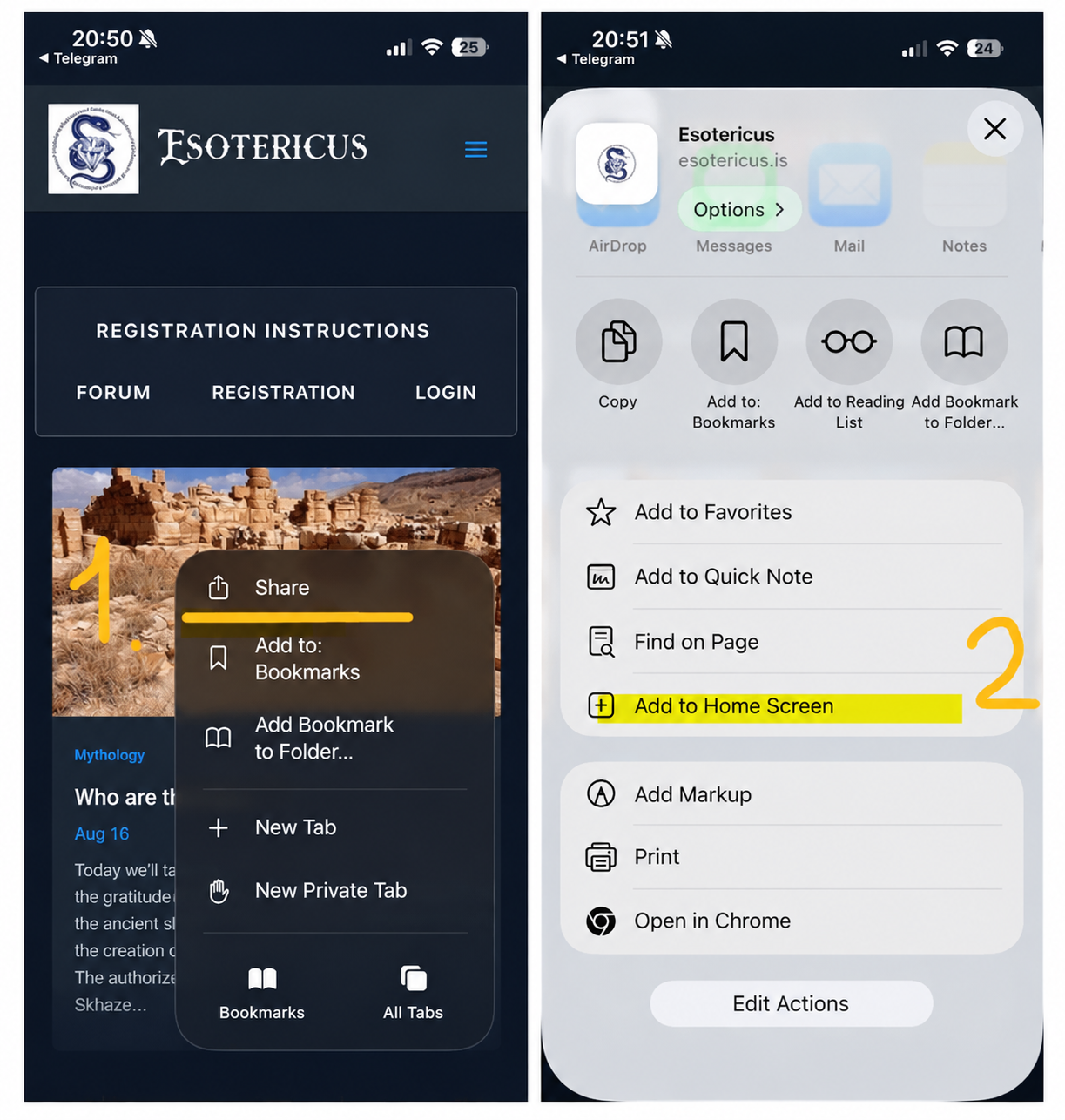
Instructions for Installing the App on iPhone:
- Open Safari.
- Go to [https://esotericus.cz/](https://esotericus.cz/).
- Tap the “Share” button — the square with an upward-pointing arrow.
- Scroll down the menu and select “Add to Home Screen”.
- Check the Esotericus name and icon.
- Tap “Add”.
- The “Esotericus” icon will appear on your home screen. Tapping it will take you to the website’s homepage. Wishing you success on your journey of development!
Instructions for Installing the App on Android:
- Open the Google Chrome browser.
- Go to https://esotericus.life/.
- Wait a few seconds for the website to load fully.
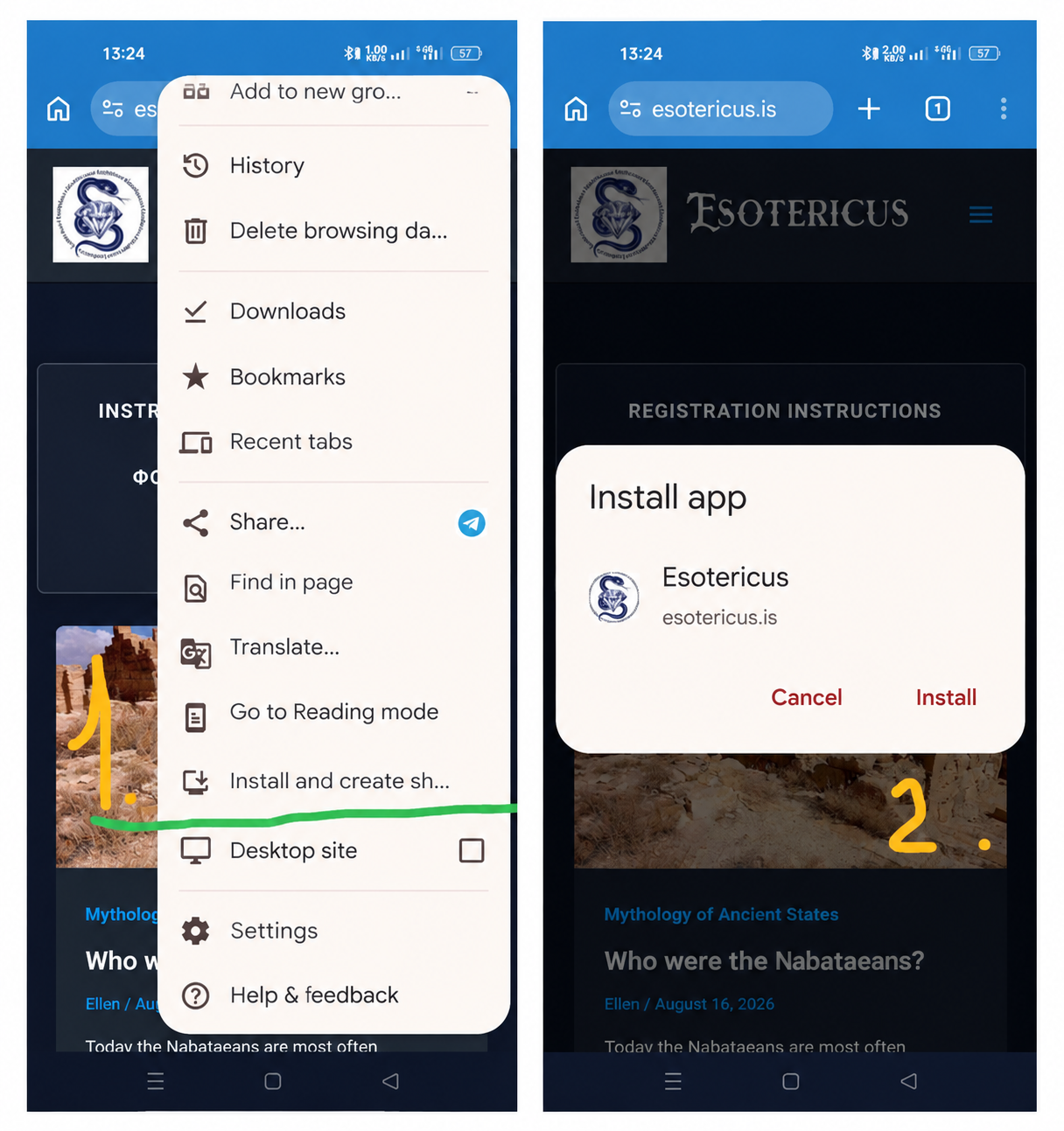
- Tap the Chrome menu — the ⋮ icon in the top-right corner.
- Select one of the following options:
- “Install app” — the preferred option;
- or “Add to Home screen” if the first option is not available.
- Check the Esotericus name and icon.
- Tap “Install” or “Add”.
- Confirm the installation if Android displays an additional window.
- The “Esotericus” icon will appear on your home screen or in your app list.
- Tapping this icon opens the Esotericus homepage as a standalone app. Wishing you success on your journey of development!
If you experience any technical problems, please contact our technical support team!
Back to the main menu – CLICK HERE
© Andrey Rudenko
Researcher, occultist, creator of the project
